Instructional Designer
Introduction to HTML

1 hour, 47 minutes
CC

Course Description
Learn the basics of HTML, like commonly-used elements and how to create a web page, how to add elements like links, headings, and images, and then practice your new skills by writing the markup for a book chapter.
Preview
Course Details
Published: September 1, 2019
Rating
Learn Straight from the Experts Who Shape the Modern Web
Your Path to Senior Developer and Beyond
- 250+ In-depth courses
- 24 Learning Paths
- Industry Leading Experts
- Live Interactive Workshops
Table of Contents
Introduction
Section Duration: 7 minutes
-
 Jen Kramer welcomes students and then reviews the resources and assets for the Bootcamp.
 -
 Jen walks students though the setup of VS Code, including adding the Open in Browser VS Code extension to allow for viewing HTML code in the browser.
 -
 Jen creates a folder on the desktop and opens it within VS Code to set up a simple work environment.
HTML Basics
Section Duration: 24 minutes
-
 Jen begins creating a web page by instructing students how to open a file inside of the VS Code editor and generate basic HTML tags.
 -
 Jen explains what each line of the HTML scaffolding does and demonstrates how to open a web page in the browser.
 -
 Jen introduces the paragraph tag and two types of list tags, and explains how HTML tags work both inside the code editor as well as within the browser.
 -
 Students are instructed to create an ordered list of steps to construct a peanut butter and jelly sandwich.
 -
 Jen displays an example of a solution to the exercise and covers some common mistakes that students make.
HTML Links, Headings & Images
Section Duration: 43 minutes
-
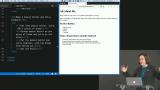 Jen demonstrates how to add links to the page using an anchor tag and discusses what attributes are.
 -
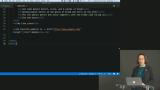 Jen demonstrates how to create another web page and then link to it. There is also a helpful hint about how to wrap words inside of the VSCode editor.
 -
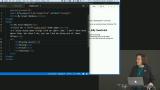 Jen explains heading tags in the context of the webpage.
 -
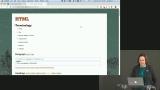 Jen reviews what was covered so far using the course website.
 -
 Jen gives instruction on how to insert images into a web page.
 -
 Jen takes questions from students about images in a web page, discussing broken links, tooltips, and image formats.
 -
 Jen demonstrates how to add images from a local source.
HTML Extras
Section Duration: 10 minutes
-
 Jen demonstrates usage of the blockquote tag, the strong tag, and the em tag for designating various kinds of emphasized text.
 -
 Jen introduces HTML validators that check for coding mistakes within a web page.
 -
 Students ask questions about images on a web page and Jen discusses options for image resizing.
HTML Practice
Section Duration: 21 minutes
-
 Students are instructed to mark up a simple book chapter using the HTML principles learned in the previous videos, and Jen reviews external references for students to extend their knowledge.
 -
 Jen goes over the solution for the project, which was to mark up a sample book chapter. For students looking for more, there is additional HTML practice and adding more details to the existing pages created in the previous sections.