Databricks
Using JavaScript in Websites

3 hours, 2 minutes
CC

Course Description
Learn how to incorporate JavaScript into your websites by first seeing how to use third-party libraries and then creating two projects: an image carousel that uses JavaScript code, and then an application that retrieves data about dog breeds from an API.
Preview
Course Details
Published: September 8, 2019
Rating
Learn Straight from the Experts Who Shape the Modern Web
Your Path to Senior Developer and Beyond
- 250+ In-depth courses
- 24 Learning Paths
- Industry Leading Experts
- Live Interactive Workshops
Table of Contents
Making an Image Gallery
Section Duration: 40 minutes
-
 Brian introduces the exercise and instructs students to choose photos to add to their image galleries.
 -
 Brian begins coding the HTML for the image gallery.
 -
 Brian adds CSS to the image gallery to improve its appearance and structure elements on the page.
 -
 Brian fields student questions about the CSS used in the image gallery so far.
 -
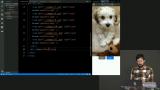 Brian codes the navigation buttons into the image gallery.
 -
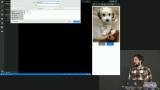 Brian sets up the file to accept JavaScript and explains how a browser loads style and script resources.
 -
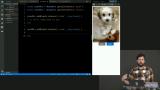 Brian codes the next button to allow the user to progress forward in the image gallery.
 -
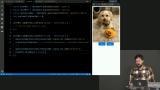 Brian codes the logic to disable the next button when the user reaches the last item in the gallery.
 -
 Brian codes the previous button to work similarly to the next button, going in the opposite direction.
 -
 Brian answers a student question about the add method.
 -
 Brian presents ideas about extra functionality that can be added to the image gallery.
Third-Party Libraries
Section Duration: 56 minutes
-
 Brian explains how third-party libraries can be a useful tool for developers.
 -
 Brian teaches how to implement the third-party library Swiper by following documentation.
 -
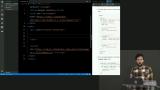 Brian codes the HTML for the image gallery using the Swiper documentation as a guide, reviewing link and script tag placement.
 -
 Brian begins implementing the JavaScript for the Swiper gallery.
 -
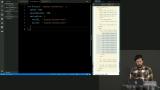 Brian codes the Swiper buttons and demonstrates some of the capabilities of the newly created gallery.
 -
 Brian explores the Swiper API, adding features to the gallery based on the documentation.
 -
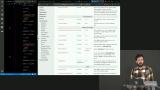 Brian introduces the Popmotion library and begins to set up the HTML and CSS to implement an animation.
 -
 Brian implements the spring animation from the Popmotion library.
 -
 Brian debugs an overlap issue in Chrome. A point is made about how to approach launching code across browsers.
 -
 Brian analyzes the behavior of the code used for a few Popmotion functions.
 -
 Brian challenges students to add an element of interactivity to their current portfolios and then makes a change to the Popmotion animation.
AJAX
Section Duration: 21 minutes
-
 Brian introduces AJAX and JSON and gives a few ways they are commonly used on the web.
 -
 Brian demonstrates how to request data from an API, using dog.ceo as an example.
 -
 Brian investigates the API response in a browser and defines terminology students may come across.
 -
 Brian verifies the response from the API, then handles the data using JavaScript.
Dog App
Section Duration: 1 hour, 3 minutes
-
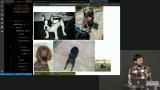 Brian introduces the exercise, and shows how to construct an animation using CSS.
 -
 Brian creates and modifies different types of animations in CSS using the transform and filter properties.
 -
 Brian outlines the timing for starting and stopping the display of the loading spinner.
 -
 Brian populates a dropdown list using an array of all of the breeds returned from the API.
 -
 Brian walks students through usage of the change event to detect dropdown selections, and lays out a plan fo the rest of the exercise.
 -
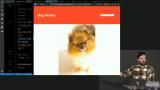 Brian reviews what the finished application will do and fields a question about strings from the audience.
 -
 Brian live codes the solution for retrieving the correct data from the dog.ceo API, and displaying the result to the page.
 -
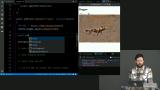 Brian goes into further detail about how template strings can be used in JavaScript.
 -
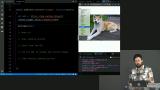 Brian codes a spinning dog emoji into the webpage that appears while the dog photo is loading.
 -
 Brian modifies the loading spinner functionality to display the spinner until the moment the image has loaded.
 -
 Brian offers additional suggestions for the Dog App, discusses semicolon usage, and answers a question about setting styles using JavaScript.