Microsoft
Introduction to JavaScript

5 hours, 23 minutes
CC

Course Description
Learn the basics of JavaScript, like its primitives, how to control the flow of a program, what scope is and why it matters, and data structures that can be used in programming. Then, practice your new skills in two exercises: by coding quiz questions that demonstrate important JavaScript concepts and by making a set of tests written in JavaScript pass. Finally, learn about the DOM, an essential part of building web pages.
Preview
Course Details
Published: September 6, 2019
Rating
Learn Straight from the Experts Who Shape the Modern Web
Your Path to Senior Developer and Beyond
- 300+ In-depth courses
- 24 Learning Paths
- Industry Leading Experts
- Live Interactive Workshops
Table of Contents
JavaScript Basics
Section Duration: 25 minutes
-
 Brian Holt introduces himself, and sets expectations for the next section.
 -
 Brian starts with the basics of JavaScript syntax.
 -
 Brian discusses the usage of semicolons and the choice of 'var' versus 'const' and 'let' in JavaScript code.
 -
 Brian introduces JavaScript coding conventions, which is syntax that isn't necessarily required by the language, but makes code more readable to other programmers.
 -
 Brian opens up VSCode and walks students through writing their first snippet of JavaScript code.
 -
 Brian demonstrates how to test code using console.log and the developer tools console inside of a browser
Primitives
Section Duration: 21 minutes
-
 Brian introduces the string primitive data type.
 -
 Brian explains how to display JavaScript variables in strings using backticks instead of single or double quotes.
 -
 Brian introduces booleans, which are how true and false are handled in JavaScript.
 -
 Brian introduces the number primitive data type and gives a few things to watch out for when handling numbers.
Control Flow & Loops
Section Duration: 39 minutes
-
 Brian introduces the concept of control flow, the order in which individual statements are evaluated.
 -
 Brian demonstrates usage of the strict equality operator.
 -
 Brian begins implementing control and equality operators to carry out logic, starting out with an if statement and expression.
 -
 Brian codes an 'else if' statement into the 'if' statement, an additional condition for determining evaluated statements.
 -
 Brian demonstrates how to implement a 'while' loop.
 -
 Brian demonstrates how to insert comments into JavaScript code.
 -
 Brian gives examples of various ways to increment values in JavaScript.
 -
 Brian uses what was learned in the previous lesson to demonstrate how a 'for' loop is executed.
 -
 Students are instructed to to write a loop that prints a concatenated string to the console.
 -
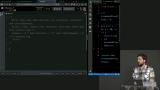 Brian demonstrates one way of coding the solution.
Functions & Scope
Section Duration: 31 minutes
-
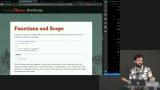 Brian illustrates examples of functions in JavaScript and highlights key syntax details.
 -
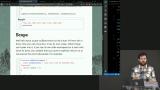 Brian introduces how scope makes functions useful in JavaScript.
 -
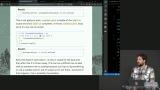 Brian walks through several examples where scoping rules affect the outcome.
 -
 Brian alters positions of variable references and declarations to help explain how scope affects outcomes.
Builtins
Section Duration: 7 minutes
-
 Brian introduces builtins by teaching students how to utilize MDN as a valuable resource.
 -
 Brian introduces additional commonly used math and string manipulation builtins.
Quiz Exercise
Section Duration: 27 minutes
-
 Students are instructed to construct quiz questions using JavaScript that implement functions, builtins, and other concepts learned so far.
 -
 Brian covers usage of the double equals comparison operator in JavaScript.
 -
 Brian live codes the solution to the exercise involving string manipulation.
 -
 Brian live codes the solution to the exercise involving mathematical operations.
Objects & Arrays
Section Duration: 1 hour, 19 minutes
-
 Brian introduces the object data structure in JavaScript.
 -
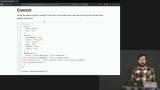 Brian explains the behavior of the 'this' keyword and related errors that commonly occur.
 -
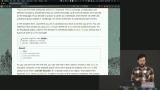 Brian demonstrates usage of global objects, specifically the window object in the browser.
 -
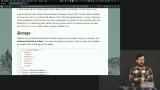 Brian introduces the array data structure in JavaScript.
 -
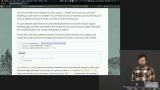 Brian delves into the methods that can be used to manipulate array data.
 -
 Brian mentions that types can be declared using TypeScript, and answers questions about the section so far.
 -
 Brian walks through the process of looping over the elements in an array.
 -
 Brian codes a 'forEach' statement, and explains how to use a function as an input.
 -
 Brian codes a map function and explains its usefulness.
 -
 Brian demonstrates usage of the sort function and introduces arrow functions.
 -
 Brian discusses filtering and equality comparison in reference to array methods.
 -
 Brian introduces && and || comparison operators for use in control flow statements.
Testing Exercise
Section Duration: 47 minutes
-
 Brian explains what development tests are and why they are important when writing JavaScript code.
 -
 Brian demonstrates how to make a test pass, and students are instructed to do the same with the remaining tests.
 -
 Brian live codes the array traversal section of the solution.
 -
 Brian live codes the two object array sections of the solution.
 -
 Brian fields questions from students about code readability and performance in relation to previously learned methods.
 -
 Brian live codes the sort section of the solution, giving various ways to succeed in solving the same problem.
The DOM
Section Duration: 43 minutes
-
 Brian introduces the DOM by explaining the parts that make up a webpage.
 -
 Brian provides instruction on how to work with CSS classes and IDs. The browser developer tools are also examined.
 -
 A question is asked about how to use querySelectorAll to select multiple elements in the DOM and loop over them.
 -
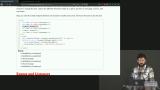 Brian outlines ways of interacting with a webpage through modifying classes on elements.
 -
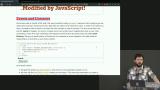 Brian introduces events and listeners, which make webpages interactive. Screen readers are also discussed.
 -
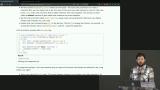 Brian introduces the event that occurs directly after a keyboard key is released, and gives potential use cases.
 -
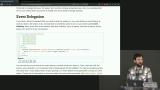 Brian defines event delegation, and emphasizes its usefulness through a code example.
Earn a Completion Certificate
After completing this course, you'll receive a certificate of completion that serves as proof of your achievement, showcasing your expertise, and commitment to professional development. You can easily share this certificate on your LinkedIn profile to highlight your new skills and demonstrate continuous learning to potential employers and professional connections.