
Microsoft
Calculator Project: JavaScript

1 hour, 13 minutes
CC
Course Description
Learn how to create the underlying functionality for the JavaScript of the calculator on iOS devices in the final part of the calculator exercise. You’ll practice breaking a problem down into simple, achievable steps, and end up with a working calculator that performs basic math operations.
Preview
Course Details
Published: September 7, 2019
Rating
Learn Straight from the Experts Who Shape the Modern Web
Your Path to Senior Developer and Beyond
- 300+ In-depth courses
- 24 Learning Paths
- Industry Leading Experts
- Live Interactive Workshops
Table of Contents
Calculator: JavaScript
Section Duration: 1 hour, 13 minutes
-
 Brian Holt introduces the next project, which is to add JavaScript to the calculator that was previously coded with HTML and CSS.
 -
 Brian demonstrates how to get the HTML & CSS to use for building the second part of the calculator project.
 -
 Brian jumps into coding the inner workings of the calculator, and analyzes the planning process for each piece.
 -
 Brian demonstrates what an event looks like in the browser, and also how to test the calculator by logging to the console.
 -
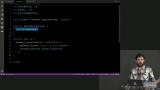 Brian breaks down the structure of the calculator functionality by planning how best to handle numbers and symbols.
 -
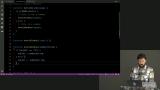 Brian codes the part of the program to display the running total to the calculator screen.
 -
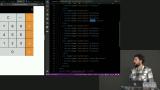 Brian begins coding the section of the program that handles mathematical and other symbols.
 -
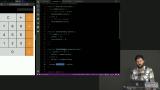 Brian demonstrates how to display changes to the calculator screen when the calculator state changes.
 -
 Brian discusses different ways the back arrow functionality can be implemented.
 -
 Brian codes the first part of the functionality that handles mathematical symbols on the calculator.
 -
 Brian implements the code that performs math and then demonstrates how to debug code by logging to the console.
 -
 Brian adds the functionality for the equals button to the calculator.
 -
 Brian summarizes the logic of the calculator's JavaScript code and then adds functionality for the back arrow.
 -
 Brian demonstrates some of the capabilities of the debugger tool within the developer console.
Earn a Completion Certificate
After completing this course, you'll receive a certificate of completion that serves as proof of your achievement, showcasing your expertise, and commitment to professional development. You can easily share this certificate on your LinkedIn profile to highlight your new skills and demonstrate continuous learning to potential employers and professional connections.