Frequently Asked Questions
Pick a site area from the navigation, or find a common question below.
Open Learning Assistant on the left side of the course video player to ask questions about the code or concepts you’re learning. This AI-powered assistant uses the current lesson and your position in the video to help explain examples, work through confusing topics, and point you to relevant course material. You can ask follow-up questions without leaving the player.
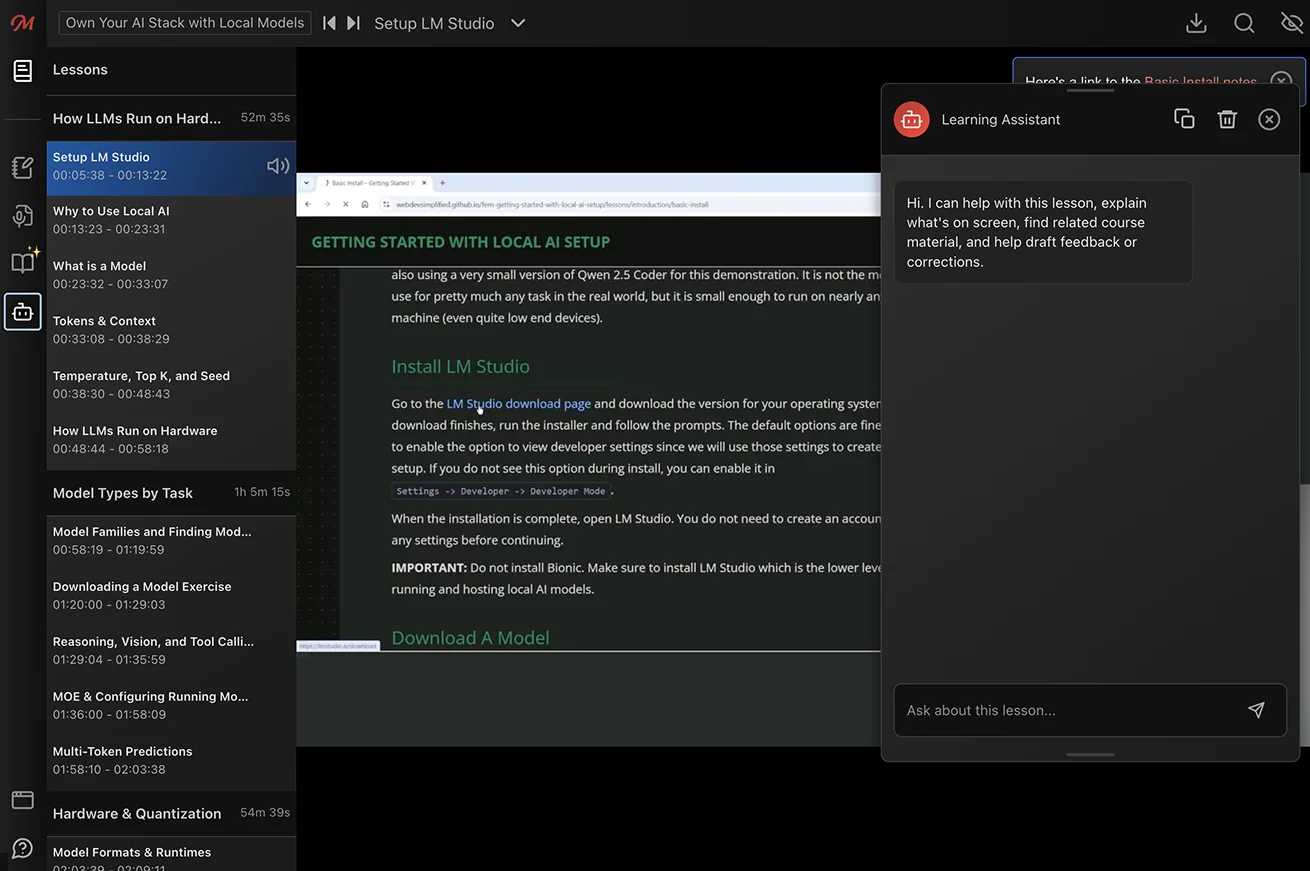
If you spot an error or want to share feedback about a lesson, tell Learning Assistant what you’d like to report. It will help you prepare feedback for our team. Review the draft, then select Send this feedback to submit it.
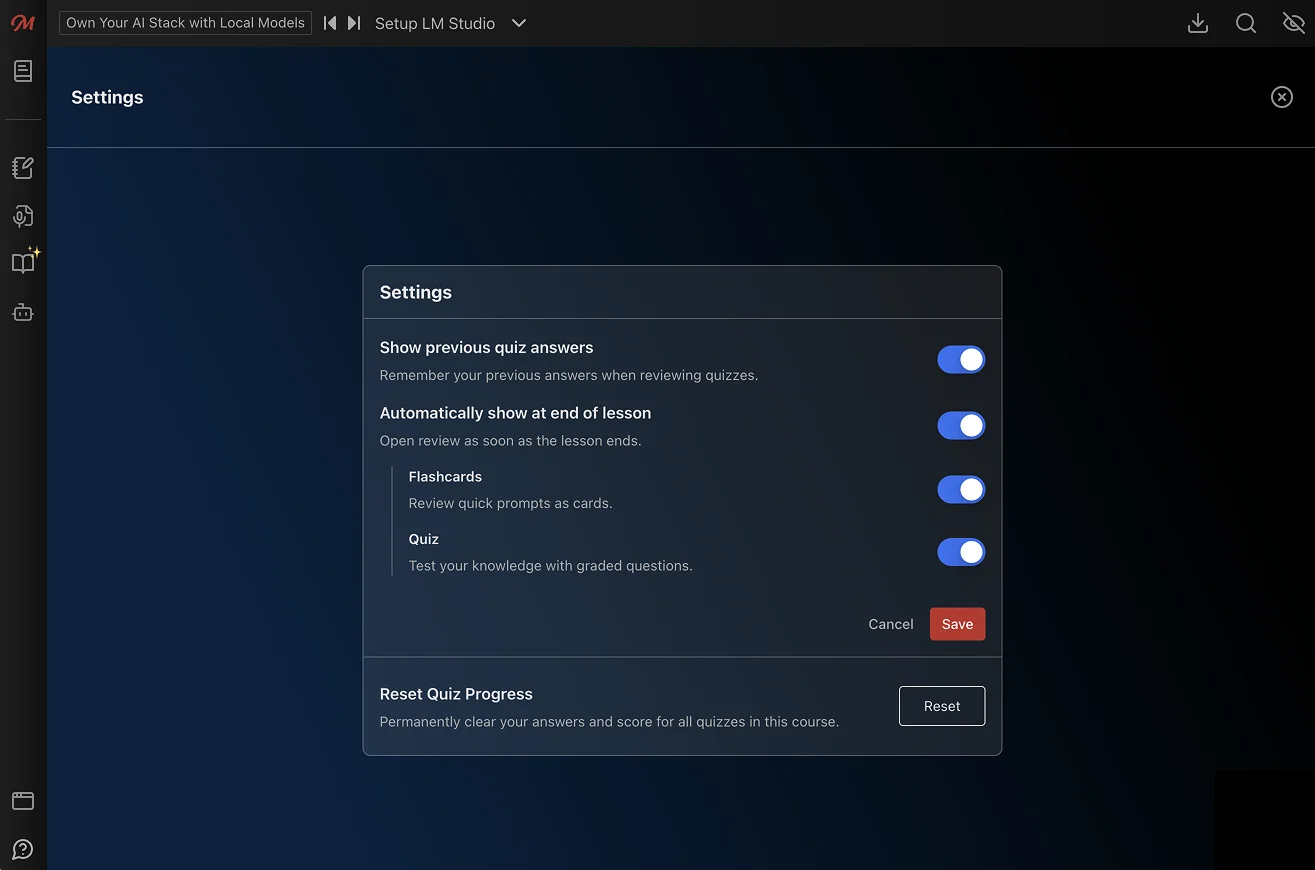
Flashcards and quizzes help you review what you’ve learned. Where available, they appear at the end of a lesson. Flashcards let you recall a concept before revealing the answer, while multiple-choice quizzes let you check your understanding and review answer explanations.
You can customize how you interact with flashcards and quizzes in the Lesson Review Settings (gear icon). Choose whether flashcards, quizzes, or both appear automatically at the end of lessons, or turn off Automatically show at end of lesson to review only when you choose. Review content is available for supported courses and lessons.
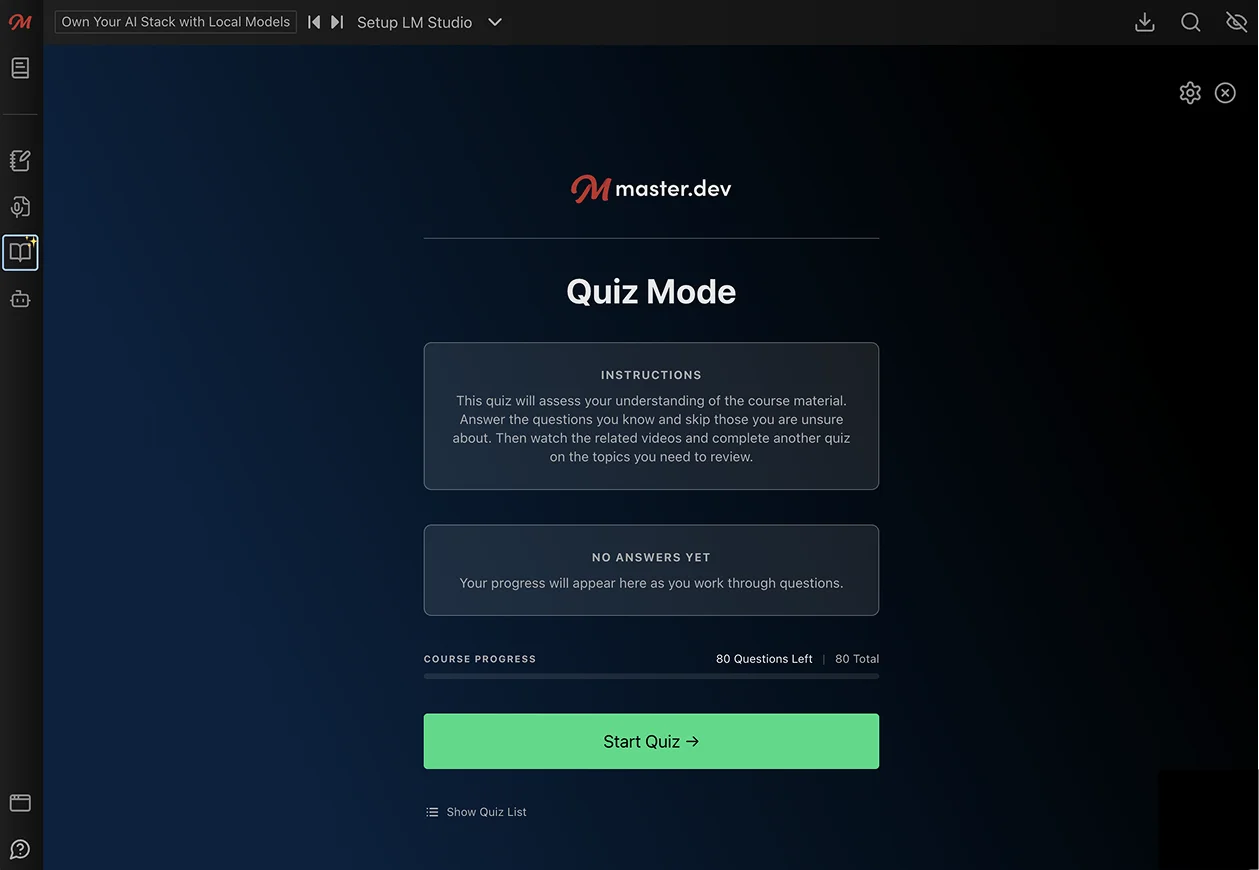
To practice at your own pace, select Quiz Mode (the book icon) on the left side of the course video player. You can review the current lesson or work through questions across the course, track your progress and score, and revisit lessons you want to study further.
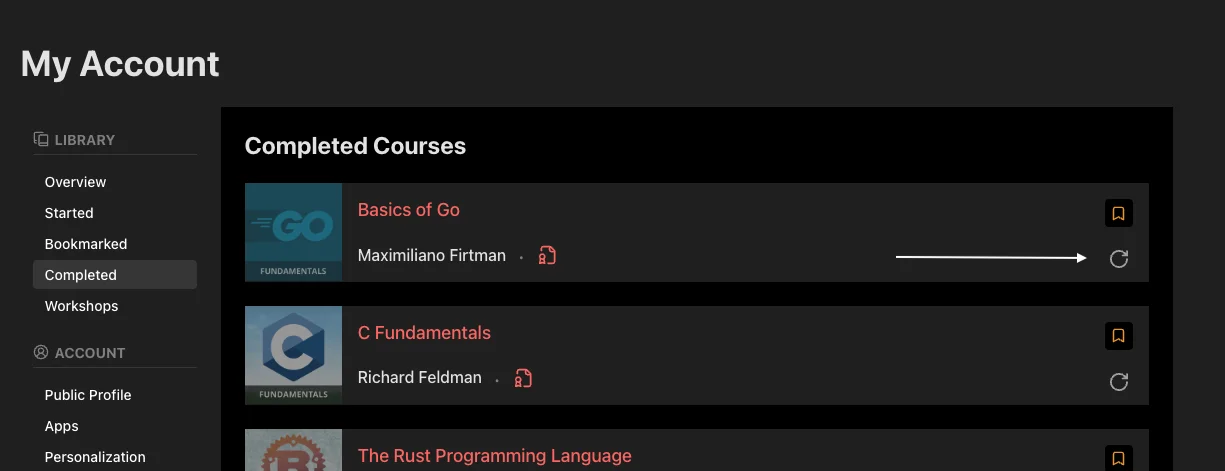
Yes, you can reset your progress for a course in the Learning Library section of My Account. If you’ve completed the course, you can find the reset option in the listing of Completed courses, and if you haven’t, you can find it in the listing of Started courses.
Absolutely! Adding enhancements or additional features to course projects is a great way to practice your skills. Posting what you’ve created on GitHub or your personal website showcases what you’ve learned and how you can expand on that knowledge. We only ask you to add an attribution to Frontend Masters and link back to our website. For example:
The code in this project is based on the Intermediate React, v5 course from Frontend Masters
We do not allow re-selling, distributing, or commercial use of our content without consent. If you have any questions, email support@frontendmasters.com.