Frequently Asked Questions
Pick a site area from the navigation, or find a common question below.
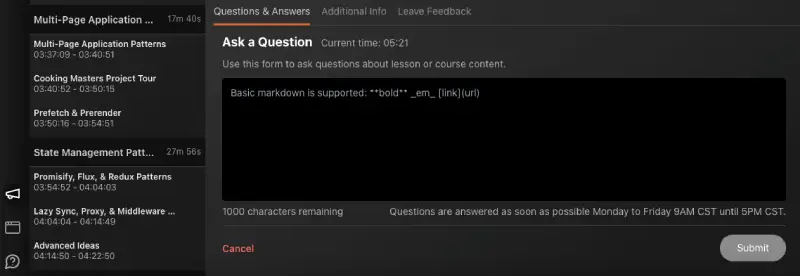
On the left side of our video player, you’ll notice a bullhorn icon that opens our Feedback feature. You’ll find areas to sumbit Q&A, view code corrections, and share general feedback about the lesson. Submissions are timestampped so we’ll have a reference to the exact location in the lesson.
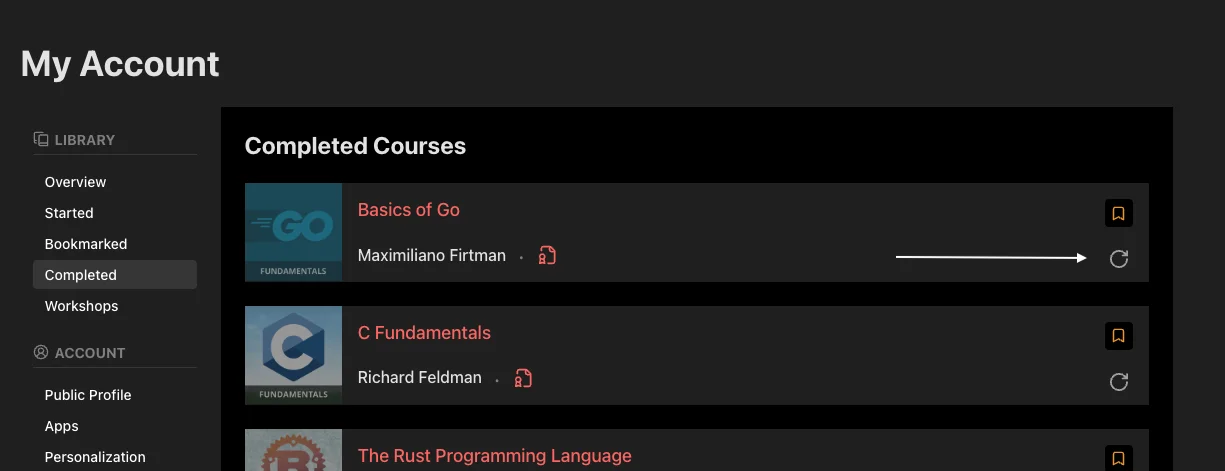
Yes, you can reset your progress for a course in the Learning Library section of My Account. If you’ve completed the course, you can find the reset option in the listing of Completed courses, and if you haven’t, you can find it in the listing of Started courses.
Absolutely! Adding enhancements or additional features to course projects is a great way to practice your skills. Posting what you’ve created on GitHub or your personal website showcases what you’ve learned and how you can expand on that knowledge. We only ask you to add an attribution to Frontend Masters and link back to our website. For example:
The code in this project is based on the Intermediate React, v5 course from Frontend Masters
We do not allow re-selling, distributing, or commercial use of our content without consent. If you have any questions, email support@frontendmasters.com.