NgRx, Angular GDE
Intermediate Angular: Signals & Dependency Injection

4 hours, 46 minutes
CC

Course Description
Master signal-based components and build production-ready Angular apps. Write reusable, declarative components using dependency injection, custom pipes, and directives. Get hands-on with Signal Forms that synchronize state and centralize validation logic. Harden the application with route guards, optimistic UI updates, and advanced rollback features.
This course and others like it are available as part of our Frontend Masters video subscription.
Prerequisite: Angular Fundamentals
Preview
What They're Saying
I love this guy, the curriculum is very well structured. The splitzstack demo of how different signals work is great.
Frank Zhang
Course Details
Published: February 12, 2026
Rating
Learning Paths
Learn Straight from the Experts Who Shape the Modern Web
Your Path to Senior Developer and Beyond
- 250+ In-depth courses
- 24 Learning Paths
- Industry Leading Experts
- Live Interactive Workshops
Table of Contents
Introduction
Section Duration: 26 minutes
 Alex Okrusko from the NgRx core team begins the Intermediate Angular course by discussing the course outline and the prerequisites. The course repo should be forked and cloned. Branches in the repository correspond to the five modules and serve as code checkpoints throughout the course. - Course Slides:
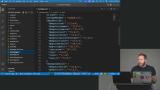 Alex walks through the project. The Angular application is an event management application with a local JSON server for the backend. Running the `npm run start` script will build and serve the Angular application on port 4200 and run the JSON API server on port 3000.
Signals
Section Duration: 34 minutes
 Alex demonstrates Angular's component model, focusing on parent-child component interaction. He shows how to pass data from parent to child using input decorators and introduces Angular's new signal-based inputs as a more modern alternative.
 Alex highlights that signals are writable by default, allowing updates and changes to propagate automatically. The "banana in a box" syntax is a convenient syntactic sugar for two-way communication without manually handling input and output events. This approach simplifies binding by directly passing the signal and listening for changes with a suffix convention.
 Alex demonstrates linked signals, which allow a component to maintain an internal state tied to an input signal from its parent, automatically updating when the parent changes. This linked signal acts like a writable local state that can be manually reset but stays connected to the parent’s signal, enabling powerful state management and computations, including tracking previous values and combining multiple input signals.
Component Models
Section Duration: 49 minutes
 Alex begins discussing strategies for passing data from a parent component to a child component. He introduces required inputs like title and image, and binds them in the parent template to the rendered output in the child component.
 Alex creates a computed value that calculates the number of days from today to a future event date. He also uses Angular's new control flow syntax with the let directive to efficiently use this computed value in the template, displaying different messages depending on whether the event is upcoming, happening now, or past.
 Alex implements a like button with a linked signal that can receive an initial like state from a parent component. If the parent does not pass an initial state, the default value of “false” is used. When the like button is clicked, the signal is updated, and a CSS class bound to if isFavorite is equal to true.
 Alex adds a remove button in the component that emits a delete event to the parent component. He shows how to handle this event in the parent by logging a message and discusses making console available in the template through aliasing. He also demonstrates using Angular's built-in date pipe to format and display dates, with options for different styles and fallback text if no date is provided.
 Alex creates a search bar component in an app. He binds the search input to a local model (signal) so the app can track the search query. Examples of two-way data binding are added directly with event handling and using Angular's forms module with two-way binding (ngModel).
 Alex walks through Angular DevTools, a Chrome extension that helps inspect the structure, components, inputs, outputs, and signal values of an Angular app. He also shares some advice on minimizing third-party dependencies.
Declarative Data Fetching
Section Duration: 35 minutes
 Alex uses HTTPResource to fetch and manage backend data with automatic tracking of request status, like loading or error. He demonstrates creating a singleton service to query events from an API, passing a query signal to dynamically fetch filtered data, and handling the resource's value safely in the UI with Angular's new for loop syntax and tracking optimizations.
 Alex replaces the hard-coded event cards with dynamic data from the event service. He also highlights the importance of placing signal reads inside the resource callback for automatic updates and shows how to handle loading and error states in the template. This lesson also includes a discussion of the advantages of injecting functions rather than classes for better composability in Angular applications.
 Alex explains that HTTP resources are great for reading data but have issues with writing or mutating data, such as request cancellation when values change or component destruction. To handle mutations like deleting events, he creates a delete method in an event service that uses the HTTP client to send a delete request, returning an observable that must be subscribed to for execution.
Modern Routing
Section Duration: 33 minutes
 Alex simplifies the application routing by using component input binding to automatically bind route parameters to component inputs. This avoids manual subscription to route param observables. He demonstrates this with an event details page where the event ID is passed as a required input signal.
 Alex updates the template to use the date pipe and the routerLink directive. The event ID is passed into the components and used to set up navigation links for each event.
 Alex adds route protection to the application using guards with the inject function. He demonstrates how to check permissions, like admin status stored in local storage, to allow or deny access to certain paths, and covers different types of guards such as canActivate, canMatch, canDeactivate, and canActivateChild, and mentions lazy loading for performance optimization.
The Signal Forms API
Section Duration: 58 minutes
 Alex introduces signal forms as a new, fundamentally different approach to forms in Angular, replacing template-driven and reactive forms with validations built into signal objects. He demonstrates creating a form for a new event using signals, showing how to define the form's data structure, initialize default values, and handle dynamic arrays.
 Alex creates a read-only form driven by a signal using Angular Forms Signals. The form is built by calling a form function with the signal as an argument, and a schema defines required fields like the title with custom error messages. The form fields automatically know their validation rules from the schema, so the template doesn't need to specify them.
 Alex implements a debounce feature that delays model updates by a set time after user input, reducing API calls during typing. He shows how to set field dependencies, like disabling a description field until a title is entered, and covers other validation options, including required fields, minimum length, and custom or async validators that can check values against a backend before allowing form submission.
 Alex binds form fields to a dynamic array. The array tracks elements by index and responds to updates via form submission, with validation and debounce for input fields. He also highlights the use of a submit button that triggers the form's submit event, as well as the ability to dynamically update specific items in the form data.
 Alex creates and submits an event with signals and the HTTP client. He emphasizes preventing the default browser form submission behavior to handle the logic programmatically, subscribing to the event creation observable to trigger actions, and using programmatic navigation after successful submission.
Shared State & Dependency Injection
Section Duration: 45 minutes
 Alex introduces the concept of dependency injection, focusing on injection tokens, which allow injecting values like strings that are not runtime classes. Alex creates an injection tokens with two different methods. One is a static value, the other is a dynamic value generated by a factory method.
 Alex creates a stateful cart service for ticket management that includes optimistic UI updates. This gives a better feeling of perceived performance since changes are reflected in the UI immediately.
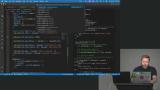 Alex implements the method for adding tickets and discusses its limitations. He also demonstrates the rollback feature. If the service call fails, the UI is rolled back to the previous state.
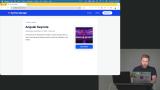 Alex uses the Angular DevTools to visualize injected services and the injector tree, showing the structure and providers in the app. He recommends designing services with single responsibility, typically stateless and focused on specific APIs, while managing state separately.
Wrapping Up
Section Duration: 3 minutes
 Alex wraps up the course reviewing the key takeaways around Signals, Component Models, Routing, Signal Forms, and Dependency Injection.
Learn Straight from the Experts Who Shape the Modern Web
- 250+In-depth Courses
- Industry Leading Experts
- 24Learning Paths
- Live Interactive Workshops