Databricks
Build a Fullstack Next.js App, v4

7 hours, 45 minutes
CC
Course Description
Ship enterprise-ready Next.js apps! Scaffold a Next.js Wiki application from the ground up with a Drizzle-based data layer, protected routes, and a robust design system leveraging shadcn and Tailwind. Build features like user authentication, serverless file storage, and transactional emails. Configure pre-production environments in Vercel and deploy your app with a GitHub Actions-based pipeline, making it easy to scale to any size.
Prerequisite: Complete Intro to React, v9 and
Next.js Fundamentals, v4. Basic SQL knowledge is also helpful but not required.
Preview
Course Details
Published: December 5, 2025
Rating
Learning Paths
Learn Straight from the Experts Who Shape the Modern Web
Your Path to Senior Developer and Beyond
- 250+ In-depth courses
- 24 Learning Paths
- Industry Leading Experts
- Live Interactive Workshops
Table of Contents
Introduction
Section Duration: 19 minutes
 Brian Holt introduces the course by explaining what will be covered, who it’s for, and how to follow along using the open-source course notes and repos. He outlines the prerequisites, the tech stack (Next.js, Neon, Vercel, Upstash, GitHub), and why he chose it. Brian also shares his background, explains the checkpoints in the course repo, and walks through cloning the starter project.
 Brian walks through his development setup and discusses how to balance AI help with real problem-solving to build debugging skills. He also emphasizes using tools that support learning without replacing the effort needed to truly understand the code.
UI Styling
Section Duration: 57 minutes
 Brian demonstrates creating a Next.js app using create Next app. He discusses the various options available during the app creation, such as choosing TypeScript, biome, and Tailwind CSS. Brian also demonstrates running commands like npm run lint and npm run format to check formatting and linting rules.
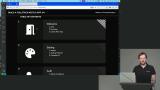 Brian introduces shadcn UI as a design system based on Radix, explaining how it builds on top of Radix components with a basic design opinion enforced on them. He also demonstrates adding shadcn components like a navigation menu and buttons, showing how they integrate into the code base.
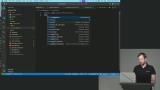 Brian walks through creating a navigation bar component, adding Tailwind CSS classes, and demonstrates how to structure the layout effectively. Brian also discusses modular design patterns, and how Tailwind CSS promotes deleteability and modular code organization.
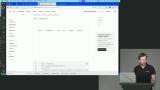 Brian walks through creating a card component including creating and modifying card.tsx. He highlights rapid prototyping tools for planning and breaking down tasks and updates page.tsx to fix directory issues.
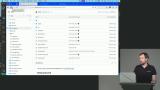 Brian discusses utilizing Tailwind's theming capabilities to generate utility classes for various elements. He also demonstrates managing variants in Tailwind using a library called CVA and walks through the process of setting up the project UI.
Authentication
Section Duration: 45 minutes
 Brian discusses different backend components needed for rolling out an app, such as database and authentication choices. He also walks through setting up Neon Auth, configuring environment variables for Next.js, and how to integrate StackAuth for user authentication.
 Brian discusses protecting routes based on user authentication and the difference between authentication and authorization. He also demonstrates how to implement route protection using StackAuth on both the client and server sides, ensuring that only logged-in users can access certain pages.
 Brian walks through creating server actions in React and discusses the importance of protecting server actions to prevent unauthorized access. He also walks through creating server actions for updating and deleting articles.
Neon Postgres Database
Section Duration: 1 hour, 19 minutes
 Brian discusses his preference for using Postgres for the database due to its flexibility and the ease of scaling with serverless platforms like Neon. He also sets up the Drizzle ORM, highlighting how it integrates SQL seamlessly within JavaScript functions to make database querying more intuitive and efficient.
 Brian walks through setting up Drizzle ORM with the neon-serverless driver and creating a database schema. He demonstrates how to define tables and relationships in Drizzle, showing how it generates TypeScript types directly from the schema to simplify type maintenance and make database interactions more intuitive.
 Brian demonstrates setting up a database by importing necessary modules and setting up SQL statements. He also shows how to generate and apply migrations using Drizzle kit to populate the database with the defined schema.
 Brian demonstrates writing a seed script, how to add it to the package.json file, inserting rows into the database, associating users with articles, and ensuring the primary keys get reset. He also discusses the installation of TSX to run TypeScript files as node files without compilation.
 Brian shows how to fetch records from the database and display them in the UI. He also demonstrates using Drizzle ORM to select fields, perform left joins, and connect tables via foreign keys to maintain data integrity.
 Brian explains form actions and shows how to insert, update, and delete data using EQ from Drizzle ORM. He provides code examples and discusses error handling with try-catch blocks and observability tools.
 Brian explains the difference between authentication and authorization, emphasizing layered authorization for user actions. He also implements a TypeScript function to check if a user can edit their own article.
Object Storage & Key-Value Store
Section Duration: 1 hour, 9 minutes
 Brian demonstrates setting up object storage, showing how to seed the database and manage article edits. He walks through creating a GitHub repository, deploying a new Vercel project, and configuring Vercel Blob storage, including setting environment variables and connecting the blob to the Next.js project. He also installs the Vercel Blob SDK to prepare for handling image uploads.
 Brian shows how to upload images using Vercel Blob, configure environment variables, and integrate the uploads with articles in a Next.js project, letting Next Image handle optimization automatically.
 Brian explains key value stores and their efficiency for high-traffic applications, demonstrating a Redis-like protocol on Postgres. He highlights their use for caching data, including SQL query results and page views, to reduce database load.
 Brian introduces caching and its role in scaling applications, demonstrating how to set up Redis for API calls. He also discusses challenges like cache eviction and the thundering herd problem and how to handle them.
 Brian demonstrates how to implement a page view counter using Redis. He shows how to create a server action that increments views for each article, integrates it with the client using a `useEffect` hook, and displays the counts in the UI. He also discusses caching behavior, eviction strategies, and why Redis is useful for scalable, high-traffic applications.
 Brian explains caching with Redis, covering type coercion for IDs, best practices for caching API responses, and the trade-offs of caching at the edge. He discusses how edge caching can reduce latency if architected carefully but may add unnecessary complexity if not, emphasizing practical strategies for optimizing performance with Redis.
Transactional Emails
Section Duration: 41 minutes
 Brian introduces sending emails using Resend, highlighting how it simplifies creating email templates and handling SMTP servers. He walks through setting up a Resend account, generating an API key, and explains limitations, such as needing a custom domain to send emails beyond your own address.
 Brian demonstrates how to send celebration emails using Resend, setting up the email client, creating templates, and querying the database for user emails. He explains how to handle page view milestones, send personalized emails, and ensure GDPR compliance by not logging email addresses.
 Brian demonstrates connecting page view milestones to sending celebration emails with Resend, scheduling them in the background. He covers setting thresholds, handling promises, testing delivery, and briefly discusses email deliverability and IP reputation.
 Brian walks through the process of setting up an email template, modifying it to include dynamic content like article titles and URLs, and demonstrates how to send the email using Resend.
AI Integration
Section Duration: 49 minutes
 Brian introduces using AI to generate article summaries, explaining its benefits and showcasing services like Vercel’s AI SDK, OpenAI, Anthropic, and OpenRouter. He demonstrates setting up an AI key, creating a summarization file, and using the SDK to interact with different models.
 Brian demonstrates summarizing articles with AI, moving the code to the correct directory, updating the database schema with a migration, and integrating summaries into the front end, while addressing troubleshooting and future improvements.
 Brian shows how to create an API directory and set up endpoints in `src/app`, covering authorization checks and implementing a job to summarize articles. He also discusses using API endpoints and cron jobs for lightweight tasks.
DevOps & Deployment
Section Duration: 1 hour, 36 minutes
 Brian covers setting up deployments, CI/CD, preview environments, observability, and analytics with Vercel and GitHub Actions. He demonstrates running unit and end-to-end tests to gate deployments, updating the project to v4, configuring testing directories, and using `.env` files to separate environments. Brian also explains creating isolated test branches in Neon to safely manipulate data without affecting production.
 Brian introduces DevOps using Vercel, showing how to set up preview and production deployments. He demonstrates integrating external services like Neon and Upstash, including connecting accounts and configuring environment variables for different environments.
 Brian discusses deployments, explaining his typical CI/CD workflow and comparing it with Vercel's approach. He walks through setting up environment variables, discusses URL whitelisting for security, demonstrates handling unauthorized API access, and a full production deployment of the app.
 Brian shows how to enable web analytics with Vercel, tracking page traffic, routes, UTM parameters, and custom events. He also covers feature flagging for A/B testing and gradual rollouts, noting privacy and compliance considerations.Brian demonstrates setting up Vercel Web Analytics and Speed Insights to track page views, traffic sources, browser usage, and custom events. He covers basic feature flagging for A/B testing, observability with logs and API tracking, and security features like bot management, DDoS protection, and Cloudflare firewall.
 Brian explains the CI part of CI/CD, showing how GitHub Actions and Vercel automate builds, tests, and preview deployments. He demonstrates creating a feature branch, opening a pull request, reviewing previews, and using comments to manage feedback before merging.
 Brian shows how to set up GitHub Actions for CI, running tests and checks, using a temporary Neon database, managing secrets and variables, and configuring triggers for pull requests and pushes.
 Brian demonstrates setting up GitHub repository secrets for CI/CD, configuring test credentials and environment variables, running automated unit and end-to-end tests with Neon and Playwright, fixing caching issues, and deploying automatically to Vercel without human intervention. He emphasizes using isolated environments for reliability and accountability in CI/CD.
Wrapping Up
Section Duration: 7 minutes
 Brian wraps up the course by highlighting ways to extend and practice what was learned, suggesting features like search, pagination, collaborative editing, AI assistants, analytics, and improved CI/CD workflows. He emphasizes forming opinions on different technologies, making trade-offs, and experimenting with alternative stacks to deepen understanding and developer experience.
This v4 iteration of the course, by Brian Holt, is the best one.
Zubia Baig
Just love this course.
Saiful Islam