Temporal
Enterprise UI Development: Microfrontends, Testing, & Code Quality

5 hours, 11 minutes
CC

Course Description
Architect large, successful frontend systems! Balance autonomy and complexity as you explore monoliths, microfrontends, and monorepos. Use Turborepo to speed up build times and keep your team productive. Learn CI/CD and testing best practices to ship faster with higher-quality code.
Prerequisite: Experience building production frontend applications with a modern framework, TypeScript, git, and build tools like Vite.
Preview
Course Details
Published: March 17, 2026
Rating
Learn Straight from the Experts Who Shape the Modern Web
Your Path to Senior Developer and Beyond
- 300+ In-depth courses
- 24 Learning Paths
- Industry Leading Experts
- Live Interactive Workshops
Table of Contents
Introduction
Section Duration: 4 minutes
 Steve Kinney begins the course by discussing the challenges of scaling software applications as companies grow, emphasising that solutions often come with trade-offs and complexities. The course covers architecture patterns and how to navigate the problems that arise later in software projects.
UI Architecture Patterns
Section Duration: 20 minutes
 Steve discusses several software architecture patterns, emphasizing starting with a simple monolith before considering more complex structures like microservices. He highlights the benefits of monoliths, such as simplicity, a single codebase, and one deploy process, and notes that many successful microservice systems began as monoliths that grew too large.
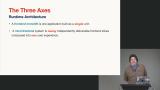 Steve explores the complexity and variety of frontend architecture choices, emphasizing that it's not just about monoliths versus micro frontends but involves multiple dimensions like repository topology and deployment strategies. He highlights trade-offs in autonomy, deployment, and complexity, and the importance of making decisions based on priorities and pain points rather than trends.
 Steve highlights when to switch from a monolithic codebase to other architectures, focusing on challenges like team collisions, merge conflicts, and long CI/CD times. He cautions that more autonomy can lead to more complexity and potential issues. He also notes that the right solution often involves a mix of approaches tailored to the team's needs.
Runtime Composition
Section Duration: 1 hour, 12 minutes
 Steve introduces micro frontends, which involve breaking a large frontend application into many small, independently deployable pieces. This approach is often driven by team ownership, autonomy, and the need to manage complex or legacy codebases.
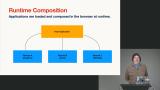 Steve explores the module federation pattern with runtime composition for building enterprise applications. In this example, a host application or shell loads various remote modules lazily. Challenges of sharing common dependencies, such as React or design systems, and the trade-offs between autonomy and complexity in managing independent deployments are also discussed.
 Steve walks through the module federation repo. The repo requires pnpm. The shell application loads a remote dashboard application running on a separate port. Steve also highlights the challenge of sharing state between microfrontend applications.
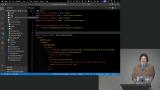 Steve walks through the configuration for the host application and remote modules. Shared dependencies like React are loaded eagerly with the initial bundle to optimize performance. He also discusses the need for environment variables or build-time adjustments to handle different deployment environments.
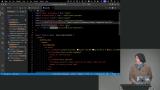 Steve explains how React Lazy allows loading remote components at runtime instead of bundling them upfront, enabling dynamic updates without redeploying the host app. He discusses the trade-offs of this approach, including increased configuration complexity and potential issues with flaky internet, but highlights benefits like faster, independent deployments and improved team autonomy.
 Steve looks at the challenges and solutions in managing shared dependencies and state across federated systems. Intentional coordination is required to avoid version conflicts. Error boundaries should be established to contain failures. Steve also discusses the communication problem between separate app parts and suggests using a global event bus or shared state object.
 Steve walks through three strategies to communicate between microfrontends. Nanostores are a tiny, framework-agnostic library that acts like a Redux store. They fire events when modified, which can trigger updates across React trees. Other techniques include Broadcast Channels and the Comlink library.
 Steve dives into Nanostores, explaining their state-management concept of an "atom," a simple value container that can be read, set, and subscribed to for changes. This approach works across different frameworks like React, Svelte, and Angular, helping solve communication and state-sharing problems in complex applications.
Build-Time Composition
Section Duration: 19 minutes
 Steve discusses the trade-offs between runtime autonomy and build-time coordination in software deployment. Runtime autonomy allows teams to deploy independently without blocking each other, but makes catching errors at build time impossible since there is no single build. Conversely, a single app shell with one build time enables catching errors early but requires coordinated builds, which can slow deployment.
 Steve walks through the monorepo project codebase, which highlights how to manage multiple microfrontends or packages in a simplified workflow that avoids multiple repos. He highlights the use of workspaces in package managers such as npm, pnpm, and Bun to manage dependencies within the repo.
 Steve describes several tools for orchestrating build ordering and workspace management in development, including RSPack, Webpack, Vite, pnpm, npm, and Bun. Steve stresses the importance of building only what is necessary to improve performance, especially in continuous integration and deployment, by avoiding testing unchanged parts to speed up the process
Monorepos
Section Duration: 1 hour, 8 minutes
 Steve makes the case for monorepos, which are repositories that contain multiple packages or projects together. He argues that having fewer repos reduces complexity, CI/CD chains, and maintenance overhead.
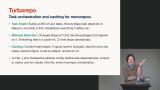 Steve introduces Turborepo, a tool that builds a dependency graph of tasks based on package JSON files to manage builds efficiently. It detects changes, rebuilds only necessary packages, caches results, and runs scripts in dependency order.
 Steve demonstrates how Turborepo manages builds by using a dependency graph to only rebuild what has changed and its dependents, avoiding unnecessary work. This approach speeds up builds, testing, and CI/CD processes, especially in large teams, by isolating changes and reducing redundant work.
 Steve continues to demonstrate how a build system can optimize development by only rebuilding what is necessary. Turborepo is agnostic to build tools and works by checking outputs and triggering builds based on changes, leveraging npm scripts and workspaces.
 Steve uses Turborepo to generate a dependency graph of a codebase. He also discusses remote caching options with hosts like Vercel, but stresses that users can deploy their own caching servers if needed, including open-source options in Docker containers.
 Steve introduces the island architecture, leveraged by frameworks like Astro, which delivers static HTML first and loads JavaScript only for interactive parts, improving performance for content-heavy sites.
 Steve highlights some of the benefits of server-side rendering. For example, SvelteKit's form actions work without JavaScript but are enhanced progressively when JavaScript is enabled. Server-side rendered applications are often preferred when there are compliance constraints, like in the banking industry.
 Steve introduces the backend for frontend (BFF) architecture as an abstraction layer over APIs that tailors data for the UI. This can improve performance and developer experience; however, it may be challenging when working with inherited or poorly designed APIs.
 Steve demonstrates how pnpm helps enforce dependency versions through a workspace and catalog system, allowing teams to reference a single version declared at the repo root, which can be adapted with scripts or other package managers. He emphasizes the importance of recognizing and managing these complexities as applications grow.
Scaling TypeScript
Section Duration: 34 minutes
 Steve shares the challenges of TypeScript performance in large-scale applications. As projects grow, tools like ESLint, TypeScript, and Vite can slow down or fail, and upgrading TypeScript versions, especially to upcoming major releases, can improve performance. Reducing the TypeScript compiler workload by scoping type checking, avoiding barrel files, simplifying complex types, generating types with build tools, and explicitly declaring return types can drastically improve performance.
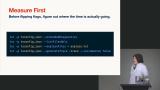 Students are instructed to test their codebase using some of the diagnostic tools available in the TypeScript compiler. This process helps prepare for problems when they arise, rather than guessing or relying on random fixes.
 Steve explains how to manage TypeScript configurations in a monorepo by using a base tsconfig file extended by smaller slices for different parts of a project. He highlights the benefits of breaking the project into smaller pieces for incremental builds and type sharing without publishing to npm. He also discusses targeting specific runtimes and customizing configurations for different application slices, such as Chrome extension components, to optimize build and type checking processes.
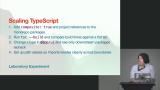 Students are instructed to utilize TypeScript references and composite configuration to enables incremental compilation.
ESLint Guardrails
Section Duration: 31 minutes
 Steve discusses the value of custom ESLint rules, especially for large-scale refactors and migrations in codebases. While enforcing strict code style can cause friction, custom rules can help identify deprecated code, enforce import boundaries, and manage dependencies across monorepos or microfrontends.
 Steve advises avoiding writing custom rules unless necessary, as existing rules are battle-tested and more reliable. He suggests using tools like Husky and Lindstage to manage code migrations by enforcing updates only on touched files.
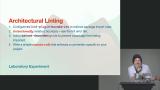 Steve demonstrates how to set up architectural linting rules with ESLint. He also highlights the practical use of plugins, such as boundaries, to automate these checks and reduce human error during code reviews. The goal is to create guardrails that protect the architecture from accidental or careless violations by developers or automated systems.
CI & CD
Section Duration: 25 minutes
 Steve explores some CI/CD tools, noting that many teams use GitHub Actions, while others use Azure DevOps, Jenkins, Octopus Deploy, BuildKite, CircleCI, and Travis CI. He explains the common philosophy behind these tools: they trigger builds and tests based on code changes, ideally running only what is necessary to save time and resources.
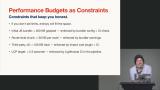 Steve emphasizes the importance of regularly measuring key aspects like accessibility and performance to prevent a gradual decline. Integrating checks into the CI/CD process is recommended, but highlights the need to balance thorough testing with maintaining development speed. Long test times can reduce productivity and lead to disabling checks, which cause quality to degrade over time.
 Steve explores using GitHub Actions for CI/CD workflows. Some suggestions include running jobs in parallel, avoiding redundant steps, and canceling unnecessary runs to save time and money.
Testing Strategies & AI Workflows
Section Duration: 28 minutes
 Steve discusses how testing in environments where code is split across multiple teams or services can be challenging. To address this, he recommends using the Mock Service Worker library, which intercepts network requests in the browser to simulate API responses without mocking the app's internal code. This approach allows frontend development and testing to proceed independently of backend availability.
 Steve spends a few minutes discussing the importance of using error-monitoring tools like Sentry or Bugsnag to catch and report errors before users notice them. These tools provide real user metrics, error recordings with sensitive data masked, and help identify issues like CDN problems or browser-specific bugs.
 Steve spends a few minutes answering questions about his AI workflow. Leveraging AI for code reviews helps him catch missed edge cases and generate useful feedback. Integrating these tools with systems such as GitHub Actions and ESLint rules can also be beneficial for automating and guiding code quality.
Wrapping Up
Section Duration: 4 minutes
 Steve wraps up the course, reinforcing the point that enterprise codebases are unique and require tailored solutions rather than a one-size-fits-all approach. It's important to balance technology choices with company culture and constraints. Focusing on practical strategies such as optimizing CI/CD processes, managing deprecated components, and adapting tools to specific needs will yield the best outcomes.
Earn a Completion Certificate
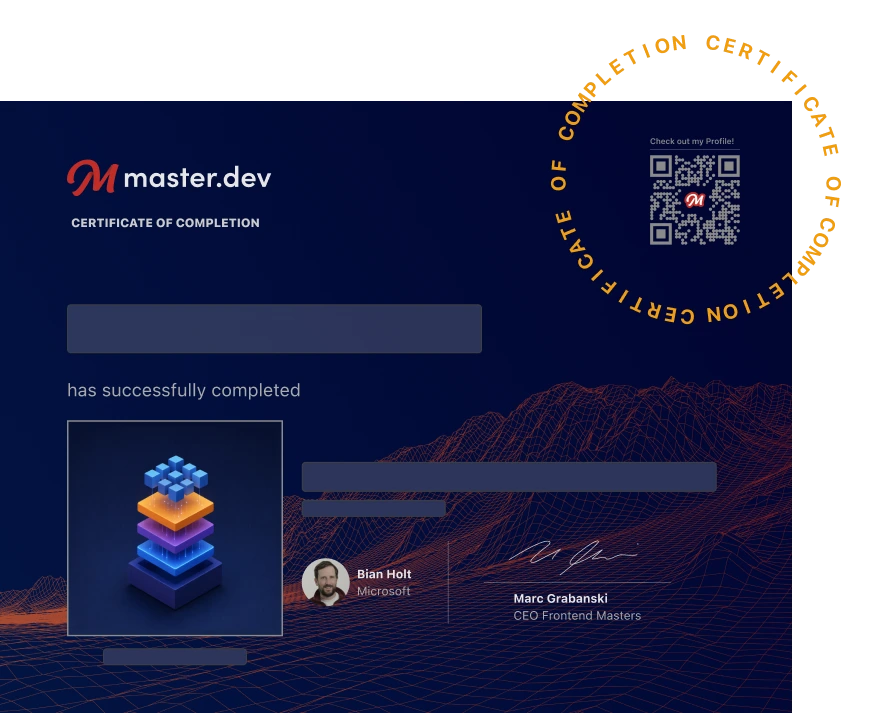
After completing this course, you'll receive a certificate of completion that serves as proof of your achievement, showcasing your expertise, and commitment to professional development. You can easily share this certificate on your LinkedIn profile to highlight your new skills and demonstrate continuous learning to potential employers and professional connections.
What They're Saying
One of the most helpful courses I recently watched. Anyone interested in more advanced FE architecture topics should watch this. Huge fan of Steve's way of explaining with real-world examples. Thanks!

Petar Zayakov
Solid breadth — covers monorepo → micro-frontend tradeoffs, Turborepo caching, TS project refs, ESLint boundaries, CI/CD, MSW, observability. Clear Q&A format, good for recall.

Phu Phan