Netflix
AI Engineering Fundamentals

9 hours, 5 minutes
CC
Course Description
Become an engineer who can build, measure, and improve AI-powered systems! Add an agentic chat interface to an existing application. Then establish a rigorous eval harness to systematically improve the agent through context engineering, advanced tool use, RAG, and reliable production feedback loops. Discover the discipline of AI Engineering and build better AI features that get more accurate over time.
Prerequisite: A basic understanding of
TypeScript and experience building frontend applications with a framework like
React. Our
AI Agents Fundamentals courses is also helpful, but not required.
Preview
Course Details
Published: April 28, 2026
Rating
Learning Paths
Learn Straight from the Experts Who Shape the Modern Web
Your Path to Senior Developer and Beyond
- 300+ In-depth courses
- 24 Learning Paths
- Industry Leading Experts
- Live Interactive Workshops
Table of Contents
Introduction
Section Duration: 23 minutes
 Scott Moss, a Senior Software Engineer at Netflix, begins the course by framing AI engineering as a new discipline emerging across companies. He starts by previewing the project built throughout the course and discusses how it will be improved with evals, context engineering, and advanced strategies.
 Scott discusses what an AI engineer actually is, describing the work as broad, exploratory, and different from traditional software engineering because AI systems are often non-deterministic. He also frames AI engineering as building applications on top of foundation models and balancing natural language behavior with more structured engineering practices.
 Scott gives a brief tour of the project repo. The application is an AI-assisted Excalidraw drawing app. The focus of the course will be building and improving that AI agent so it can generate diagrams from user prompts. All the notes for the lessons are also located in the repo and the notes website can be run with `npm run docs`.
Cloudflare Agent
Section Duration: 1 hour, 12 minutes
 Scott breaks down the architecture of an AI agent running in Cloudflare. A Cloudflare Agent is a stateful, long-lived server-side object built on top of Cloudflare's Durable Objects. The agent loop will receive messages from the user via WebSockets. As the LLM processes the message, responses will be streamed back to the client.
 Scott begins building an agent from scratch. Zod Schemas. is teaching students how to build an AI agent from scratch using TypeScript, starting with installing dependencies and adding an OpenAI API key. The main exercise involves creating TypeScript types in a schema.ts file that describe Excalidraw diagram elements like rectangles, ellipses, arrows, and text. He explains that the two tools they'll build — Generate Diagram and Modify Diagram — are intentionally naive and simple so students can improve them over time. He has students write the first type manually to get familiar with the structure, then recommends copying over the rest to save time.
 Scott creates tools for adding and modifying diagrams. Each tool requires a description that tells the LLM when to use it, an inputSchema defined with Zod that validates the arguments, and an execute function that runs when the LLM calls the tool. These tools will work for simple diagrams but struggle with complex ones. Later in the course, the scores will show exactly where the agent falls short.
 Scott begins coding the agent. He leverages the OpenAI ai-sdk for a lot of the agent harness. A static system prompt is added to the agent and the base class is established.
 Scott implements the onChatMessage handler, which returns the UI message stream from the OpenAI SDK. The `wrangler.toml` Cloudflare Worker config is updated to support Durable Object binding, migration, and Node.js compatibility.
 Scott summarizes the Cloudflare Agent loop and analyzes the JSON returned to the client by the LLM. He also provides more detail about how architecture behind Cloudflare workers and the edge runtime.
Chat Experience
Section Duration: 1 hour, 9 minutes
 Scott introduces the useAgent and useAgentChat React hooks. The Cloudflare Agents SDK provides these two hooks to handle the entire WebSocket connection and chat protocol. Scott also outlines the streaming response, how the model selects tools, and that each page load of the application will initiate a new chat session.
 Scott explains how the canvas will integrate with the AI experience. When a `tool-generateDiagram` or `tool-modifyDiagram` part reaches the output-available state, its output field contains the data we need to apply to the Excalidraw canvas via the API ref. The entire process will apply each tool output once, and messages will rerender every time a chunk arrives.
 Scott builds out the messages UI. Message bubbles will appear as parts from the streaming response are received. When parts begin with a "tool-" prefix, a ToolStatus component is instantiated and updated with the current status of the tool.
 Scott wires up the messaging component to the chat panel UI. The button's disabled state is also configured based on the presence of input text or if a message response is currently streaming.
 Scott drops in the useAgentChat hook from the Cloudflare Agents SDK and begins adding conditional logic to manage parts of the response. If the part type is equal to "tool-generateDiagram", the skeleton elements from the output array are converted to Excalidraw Elements so they can be added to the canvas.
 Scott wires up the chat UI to the application. He tests the tool's calls by generating a new diagram and then asks the agent to modify it. Modifications are limited because the agent cannot "see" what is on the canvas. Any attempts to add to the diagram yield a completely new diagram.
 Scott spends a few minutes answering questions related to the chat UI functionality. He also dives a little deeper into the relationship between the Zod schemas and the agent loop.
Evals & Scoring
Section Duration: 1 hour, 54 minutes
 Scott introduces evals and compares them to traditional unit tests in software engineering. Evals help establish a baseline and catch regressions as prompts and models change. Scott also discusses the importance of establishing golden datasets, which are curated sets of test cases.
 Scott walks through a few fundamental scoring concepts to understand when establishing evals. These include manual vs automated scorers, pass@k and pass^k, and capabilities vs regression evals.
 Scott begins discussing the eval harness. He walks through the type system for test cases, evals, and scored results. He also explores the goldend dataset include in the project repo.
 Scott creates the eval harness and extracts the system prompt so it can be shared between the agent on the worker side of the application and the eval harness on the node side. The eval harness loads the golden dataset, runs each test case through the model directly (skipping the WebSocket and Durable Object layer), collects results, and writes them to a timestamped file.
 Scott finishes the eval harness by implementing a loop that iterates over each test case and aggregates the results into an array. That array is written to a JSON file. Some additional performance calculations have been added to track the number of tests and the average test duration.
 Scott introduces Braintrust, an AI observability platform for measuring, evaluating, and improving AI in production. With Braintrust, engineers can compare models, iterate on prompts, catch regressions, and leverage real user data to continuously improve AI applications.
 Scott shares the agent between both the Cloudflare worker and the eval running in Node.js. Since both environments call the generateText/streamText methods with the same tools and use the same SYSTEM_PROMPT, they can drift and be counterproductive when using evals to measure reliability.
 Scott implements a code-based score for the diagram eval. This confirms whether or not the agent produces valid Excalidraw element data. Every element needs an ID, type, x, y, width, height, and a recognized type. The scorer also covers the most basic failure cases (no elements, garbage shape, missing fields).
 Scott runs the eval script to generate the scores. He then visits the Braintrust dashboard to review the results. Inputs and Outputs from each run can be inspected, and Briantrust provides some additional features for exploring the dataset.
Context Engineering
Section Duration: 1 hour, 1 minute
 Scott defines context engineering as deciding what goes into the model's context window, in what shape, on every turn. In the case of the Excalidraw application, context engineering can include rewriting the system prompt to be more thorough and serializing the canvas state into the system prompt at request time.
 Scott reruns the eval script to establish a solid baseline before rewriting the system prompt. Establishing a baseline helps better understand the effect of downstream changes to the context.
 Scott rewrites the system prompt for the diagram agent and explains why the prompt should be tightly scoped to a narrow vertical, in this case, an Excalidraw diagram assistant. He walks through practical prompt-writing tactics such as adding few-shot examples, hard rules, pattern libraries, and explicit negative prompts to steer the model toward better diagram outputs. Scott also discusses guardrails, prompt consistency with tool definitions, and when sub-agents become useful for spreading context across multiple context windows.
 Scott introduces the idea of letting the agent see the current canvas and argues that raw JSON is a naive but expensive way to expose that state to an LLM. He compares JSON, XML, YAML, and TOON, and explains that TOON is more token-efficient and therefore better suited for structured context sent to the model. Scott then starts building a serializer to convert Excalidraw canvas data into a compact representation the agent can consume.
 Scott shows how to add serialized canvas state into the agent’s context by building a system-prompt helper that appends the current canvas under a Markdown heading. He explains that the browser can send custom data alongside a chat message, so the canvas state can travel with the user’s prompt rather than living in a database. Scott then updates both the server and client flow so the streaming agent receives the canvas context when a message is sent.
 Scott reruns the evals after adding canvas context and uses the results mainly as directional feedback rather than as definitive proof of quality. He explains that the current scores are still weak, so even if numbers improve, the team should be cautious about over-interpreting a single run. Scott also discusses the tradeoff between sending a serialized canvas versus a screenshot, noting that images can help in some cases but constrain you to multimodal models and can miss large canvases.
Advanced Tools
Section Duration: 1 hour, 36 minutes
 Scott explains that the existing diagram tools are too naive because they only support full generation or limited modification, which is not enough for realistic editing workflows. He proposes replacing them with focused CRUD-style tools like add, update, and remove so the LLM can manipulate the canvas more like a real user. Scott also argues that, because the canvas state lives entirely on the client, these tools should execute client-side rather than waste tokens on server-side pass-through.
 Scott begins building the new client-side tools by first simplifying the element schemas so that add and update operations can share a common structure. He explains why nullable fields work better than optional fields for structured tool inputs with OpenAI and strict schema enforcement, since the model is better at returning explicit `null` values than omitting keys. Scott frames the schema work as a way to make the model’s contract clearer before the tools themselves are wired up.
 Scott continues defining the new tool layer by adding a `queryCanvas` tool that lets the agent inspect the current canvas before deciding how to modify it. He discusses the UX implications of background tool use for the client, including whether the app should surface that activity to users, as collaborative tools do, by showing another person’s cursor or status. Scott also emphasizes that deterministic schemas are more reliable than stuffing documentation into the system prompt when you want the model to follow a specific contract.
 Scott connects the client-side tools to the app by removing old glue code that merged streamed backend outputs into Excalidraw. He explains how Cloudflare’s `onToolCall` and `addToolOutput` primitives let the browser execute tools locally and send the results back to the agent via WebSockets. Scott also adds helper logic, such as `stripNulls`, and a `queryCanvas` handler so the client can safely translate tool arguments into Excalidraw-friendly state.
 Scott implements the actual handlers for the `addElements`, `updateElements`, and `removeElements` client-side tools. He walks through how to clean nulls, preserve model-generated IDs, merge updates into existing scene state, update the canvas immediately, and return simple success outputs back to the agent. Scott then wires the new tool set into the agent, smoke-tests the faster client-side behavior, and uses the triangle example to show how eval failures can turn into better prompts or product decisions.
 Scott builds the first API-backed tool, a web search tool, so the agent can ground itself on current information or referenced URLs before making diagrams. He uses Tavily as the search provider and explains why summarized search results are helpful for keeping context size under control. Scott also talks through input design, error handling, and the security mindset of treating the LLM as a user who should see only the minimum necessary information.
 Scott wires the web search tool into the shared tool builder and passes the required API key through the agent environment. He updates the agent’s initialization flow so the search tool can be constructed from configuration rather than treated as a static tool object. Scott then starts testing the integration, immediately hits an `env`-related bug, and uses that failure as the next debugging target.
 Scott investigates a regression in which the agent suddenly stops putting text inside shapes, treating the behavior change as a strong signal that the bug lies in deterministic code rather than the model itself. He narrows the issue down by smoke-testing different prompts, logging the model’s proposed elements, and confirming that the agent is actually returning the expected text data. Scott concludes that the problem is caused by cross-call binding logic in the client code and identifies a helper on the next branch that fixes it.
The Improvement Loop
Section Duration: 57 minutes
 Scott introduces what he calls the improvement loop: run evals, inspect the live product, form a theory about the mismatch, make one focused change, and rerun the evals. He stresses that the discipline is in isolating variables, because changing several things at once makes it impossible to know what actually moved the score. Scott also starts explaining new output-based scorers, such as bound arrows, bound labels, and connectivity, that judge the final canvas rather than any single tool call.
 Scott wires the new output-based scorers into the diagram eval so they run alongside the existing metrics. He explains that each scorer can decide when a test case qualifies, which keeps prompts without arrows or similar structures from being unfairly penalized. Scott uses this setup to reinforce the idea that durable evals should focus on the final artifact and survive changes to the underlying tool coverage.
 Scott revisits the element schema and explains that a single, mostly nullable schema leaves too much ambiguity for the model and the Excalidraw renderer. He replaces that approach with unions so the LLM must choose among concrete element types that more closely match how Excalidraw actually represents shapes and arrows. Scott also updates tool descriptions to match the new vocabulary and gives explicit guidance about using a shape’s label field instead of creating separate text elements for labels.
 Scott updates the system prompt so its wording matches the schema changes, especially around labels and arrow bindings. He adds stronger global rules such as requiring arrows to bind to real shapes and forbidding free-floating connections or separate text elements when a label should live on the shape itself. Scott also notices that the client’s null-stripping helper only works at the top level, so he decides to make it recursive to avoid malformed canvas data.
 Scott focuses on improving eval fidelity by making the server-side simulator more closely match what Excalidraw does in the real product. He explains that because the client-side Excalidraw packages are not easy to reuse on the server, the course uses a custom shim, and any mismatch there can distort eval results. Scott’s goal in this lesson is to align those two realities so the agent sees the same kinds of bound-element relationships during evals that it would see in production.
Retrieval-Augmented Generation
Section Duration: 40 minutes
 Scott introduces RAG, or retrieval-augmented generation, as a way to handle model cutoff dates and documents that are too large to fit into a context window. He explains RAG with an open-book-test analogy, where the system looks up just the most relevant parts of a corpus instead of trying to load everything at once. Scott also warns that RAG is widely misunderstood, over-marketed, and much harder to get right than people often assume.
 Scott sets up the vector database layer for RAG by choosing Upstash Vector and walking through how to create a free index. He explains the practical choices involved, including dense, sparse, and hybrid indexes, embedding models, vector dimensions, and similarity metrics like cosine. Scott presents the setup as an approachable way to get started with retrieval infrastructure without having to manage the vector system yourself.
 Scott starts building the corpus retrieval workflow by creating a Node.js script that indexes a set of internal documents into the vector store. He explains that the script should be rerunnable, avoid duplicate records, and serve as the ingestion path whenever new knowledge-base documents are added. Scott also introduces the retrieval tool itself, showing how the agent can query the vector index for the most relevant private documents and why query quality will eventually need its own improvement work.
 Scott runs the indexing script, verifies that the documents were inserted into Upstash, and demonstrates how different search modes return results with different relevance behavior. He then tests the retrieval flow within the agent and notices that the model does not always decide to use the knowledge base tool on its own. Scott uses that gap to explain why RAG often needs better query descriptions, extra context from the original user prompt, or even a separate query-rewriting step.
Wrapping Up
Section Duration: 8 minutes
 Scott wraps up the course by pointing to next-step topics like human-in-the-loop approvals, durable execution, planning modes, handoffs, and deterministic workflows. He argues that approvals should be enforced architecturally outside the agent loop, while durable execution enables pausing and resuming long-running agent flows. Scott finishes by emphasizing the production importance of a data flywheel, telemetry, real user feedback, and disciplined eval-driven iteration as the core of AI engineering work.
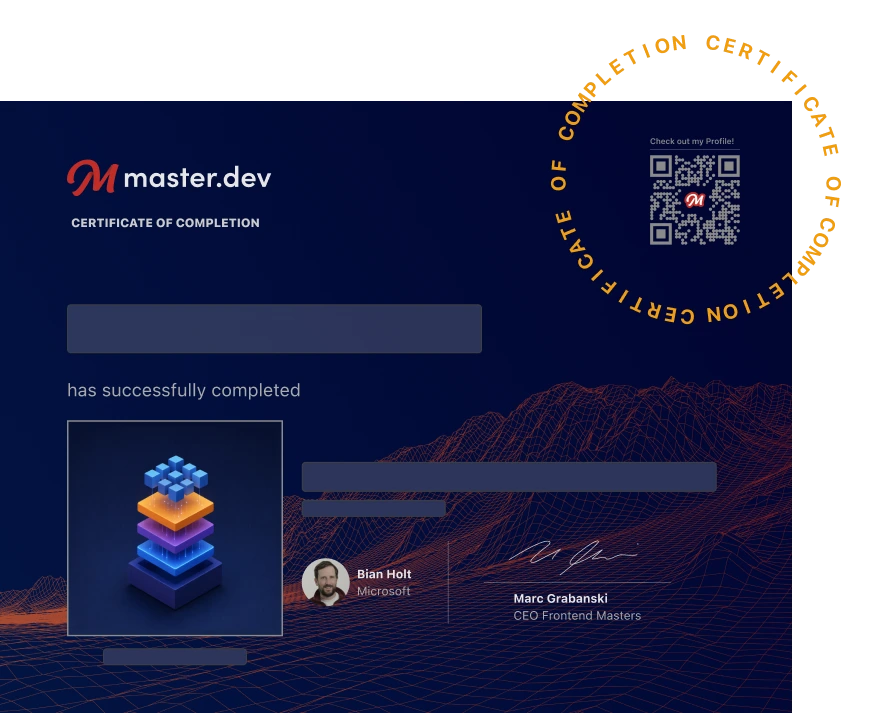
Earn a Completion Certificate
After completing this course, you'll receive a certificate of completion that serves as proof of your achievement, showcasing your expertise, and commitment to professional development. You can easily share this certificate on your LinkedIn profile to highlight your new skills and demonstrate continuous learning to potential employers and professional connections.
What They're Saying
Amazing course. I learned a lot about improving agents, and what an AI engineer does. Very motivated to apply this knowledge in real projects!

Daniel Puerta
Excellent course! Really liked the workflows for known repeated paths. Deterministic systems are the key to enterprise production AI!

Emad Ashraf
Hands down best AI course out there!

Aleksa Mitić
AleksaMiti1