Netflix
AI Agents Fundamentals, v2

7 hours, 10 minutes
CC
Course Description
Create a CLI agent from scratch! Learn the foundations of agent development like tool calling, agent loops, and and evals. Add human-in-the-loop approvals for higher-stakes operations. Monitor token usage and implement advanced for managing the context window.
Prerequisite: Introduction to Node.js, v3 or comfort with Node.js and the command line. TypeScript and LLM experience are helpful but not required.
Preview
Course Details
Published: January 20, 2026
Rating
Learning Paths
Learn Straight from the Experts Who Shape the Modern Web
Your Path to Senior Developer and Beyond
- 250+ In-depth courses
- 24 Learning Paths
- Industry Leading Experts
- Live Interactive Workshops
Table of Contents
Introduction
Section Duration: 13 minutes
 Scott Moss introduces the course by showcasing AI agents through a simple browser-controlling agent built from natural language commands, emphasizing how an SDK handles the heavy lifting while the focus remains on tools and frameworks for building reliable agents.
 Scott explains how the course will cover building agents from scratch, covering the tool loop, decision frameworks, and iterative improvements, then demonstrates a personal agent that can make API calls, search the web, write files, and use approval mechanisms.
Agent Basics
Section Duration: 14 minutes
 Scott explains agents as LLMs that use reasoning frameworks and tools to adapt at runtime, contrasting them with rigid workflows and noting key limitations where agents may not perform well.
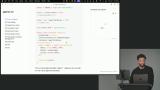 Scott walks through creating a simple "Hello World" LLM, covering environment setup, basic imports, and a function to interact with the model. He demonstrates running prompts in the terminal to show how easily an LLM can generate text.
Tool Calling
Section Duration: 20 minutes
 Scott explains tool calling, showing how LLMs can interact with the outside world through custom functions and execution. He demonstrates defining a tool and emphasizes its importance for giving agents context and enabling tasks beyond basic text generation.
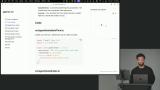 Scott shows how to create a new tool using a helper function and Zod for schema validation, including a description, input schema, and an execute function that returns the current date and time.
Evals
Section Duration: 1 hour, 49 minutes
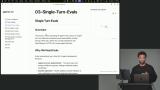 Scott explains single-turn evals, which track metrics from one agent pass, highlighting their importance for testing non-deterministic AI. He also contrasts offline and online evals, emphasizing their role in guiding improvements and informed decisions.
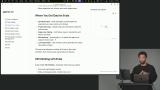 Scott explains synthetic data and creating use cases to test agent performance, covering data collection and evaluation. He also demonstrates using Open Telemetry with Laminar for improved observability and metrics.
 Scott explains setting up observability for message generation, showing how to import components, initialize functions, and enable telemetry. He highlights the importance of offline evaluations and flushing telemetry events to ensure data is sent correctly.
 Scott explains creating evals using data files with input-output pairs to test AI tool selection and improve tool descriptions. He walks through making mock tools and a single-turn executor that uses conversation history for dynamic evaluation.
 Scott discusses evaluators, which score tool outputs against expected results, noting that deterministic JSON is easier to quantify than text. He demonstrates a tool selection score evaluator that compares expected and chosen tools to calculate precision.
 Scott walks through writing an evaluation, covering scores, mocked data, and executors. He demonstrates creating an evaluation file for file tools, setting up an executor with single-turn mocks, and using evaluators to convert outputs into quantitative scores.
 Scott covers running and interpreting evaluations, including average scores and analyzing individual runs to understand agent behavior. He discusses naming strategies for experiments, examining successes and failures, forming hypotheses for improvement, and emphasizes the essential role of human expertise in the iterative evaluation process.
Agent Loop
Section Duration: 46 minutes
 Scott explains the agent loop, showing how it manages tasks with uncertain steps and adapts to changing requirements. He demonstrates creating the loop, handling LLM responses, stop conditions, and streaming tokens for smoother interaction.
 Scott demonstrates filtering messages to keep the LLM focused, setting up chat history, and streaming text generation. He shows how to handle tool calls and append responses to maintain the conversation flow.
 Scott demonstrates executing tool calls sequentially, updating the UI to show progress, and pushing results into the messages array to maintain conversation flow. He also highlights presenting results in a user-friendly way for non-technical users.
Multi-Turn Evals
Section Duration: 55 minutes
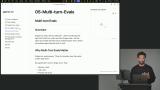 Scott explains multi-turn evaluation, where the agent runs with message history and tools to judge outputs. He highlights its role in assessing complex tasks, user experience, and using language models to evaluate unstructured outputs.
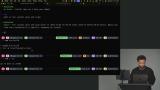 Scott demonstrates creating an evaluator by defining a schema for the judge, including output structure, score constraints, and reasoning. He shows using the AI SDK’s generate function to produce structured outputs, similar to setting up tool call inputs.
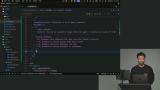 Scott walks through building a multi-turn executor with mocks, structuring messages, and collecting tool calls and results for evaluation. He emphasizes experimentation and fine-tuning to optimize prompts and model performance.
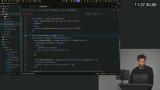 Scott demonstrates creating a multi-turn agent evaluation, including importing functions, setting up a mock executor, and considering various scenarios. He emphasizes using mock data early and running the evaluation to assess agent performance.
File System Tools
Section Duration: 50 minutes
 Scott explores implementing file system tools, emphasizing responsible design, error handling, and their role in enabling agents to write code, manage data, and store state. He highlights use cases like agent memory, context loading, communication, and tool output storage to enhance agent capabilities.
 Scott demonstrates creating file system tools, covering organization, read and write tool implementation, input schemas, and execution steps. He emphasizes error handling, detailed messages, and guiding the AI for accurate task completion.
 Scott demonstrates listing files and directories with optional default paths, formatting results for clarity, and safely deleting files using methods like fs.unlink.
 Scott demonstrates setting up a safe testing environment, creating a new directory, and configuring environment variables. He also addresses potential CLI errors and shows how to troubleshoot them.
Web Search & Context Management
Section Duration: 55 minutes
 Scott covers web search for agents, showing how LLMs can access online information while managing context and grounding outputs in truth. He discusses using native tools, handling costs and limits, and balancing efficiency with model context constraints.
 Scott explores strategies for managing context, including summarization, eviction, sliding windows, sub-agents, and RAG. He explains how RAG uses vector search to dynamically add relevant information for efficient LLM use.
 Scott demonstrates adding a web search tool, showing how to integrate it with existing tools and trigger compaction when token usage is high. He tests the tool by asking questions and verifying search result accuracy.
 Scott explains building a custom compaction system, covering token counting, usage limits, and context window management. He discusses recursive compaction, potential data loss, and strategies for balancing performance and detail.
 Scott demonstrates setting up a compaction system using an LLM, including summarization prompts to create concise conversation summaries. He shows filtering messages, converting them to text, and generating summaries to maintain seamless agent interactions.
 Scott shows how to update the run loop for context window management, including importing elements and checking model token limits. He demonstrates compacting conversations when thresholds are exceeded and reporting token usage throughout the code.
Shell Tool
Section Duration: 25 minutes
 Scott explains giving an AGI agent terminal access, allowing it to run commands, install packages, and perform tasks efficiently. He also highlights safety considerations, emphasizing supervision to prevent unintended actions.
 Scott explains sandboxing to run code safely, covering methods like VMs, Docker, and services like Daytona. He demonstrates creating a shell command tool in JavaScript and tests it by running commands through the AI.
 Scott discusses code execution as a tool like shell commands but avoids implementing it due to safety and complexity. He emphasizes building higher-level tools to streamline workflows and improve AGI functionality.
Human Guidance & Approvals
Section Duration: 22 minutes
 Scott explains reinforcement learning with human feedback, highlighting the role of deterministic approvals in runtime actions. He emphasizes the human-in-the-loop as key for trustworthy AI and maximizing productivity gains.
 Scott explains synchronous and asynchronous approval flows, showing how asynchronous flows allow tasks to be paused and resumed efficiently. He covers various approval methods, highlighting the flexibility and resource savings of asynchronous approaches.
 Scott demonstrates adding an approval flow for tool calls, showing how to seek approval, handle rejections, and execute tools only when approved. He emphasizes passing arguments for prompts and managing user rejections gracefully.
Wrapping Up
Section Duration: 15 minutes
 Scott wraps up the course by reviewing agent frameworks like OpenAI Agents SDK, Mastra, and Voltagent, highlighting their tools for context, model, and guardrail management. He also recommends exploring Browserbase and Director to support agent development and deployment.
This is my first time working with agents, and Scott shared some really great knowledge that I can instantly apply to my work moving forward.

Daniel Kpatamia
Great course. Loved the thorough explanations and building all of these capabilities from scratch!

Robert Crocker
I really loved this course entirely, Mr. Scott Moss is incredible.
Fuad Sano

